


前言
之前一直用的是 VS Code 被繁琐的配置快折磨疯了,环境配置就花了非常多的时间,现在转到 PyCharm
开始
在官网下载PyCharm
终端打开 运行此代码
MacOS、Linux
curl -L -o ckey.run ckey.run && bash ckey.runWindows
irm ckey.run|iex
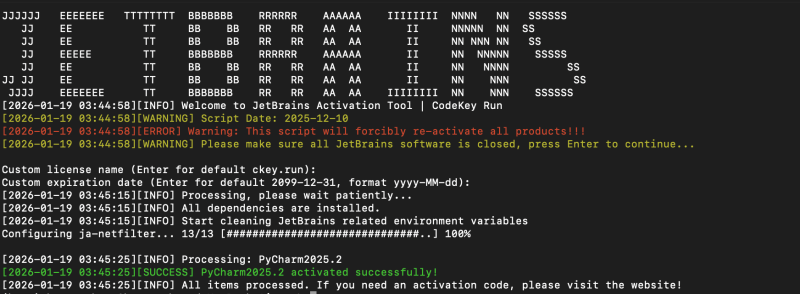
![图片[1]-MacOS、Linux、Windows如何简单快速激活 PyCharm 等 JetBrains 系列软件到2099年-胡宗胜的个人博客👤](https://huzongsheng.cn/wp-content/uploads/2026/01/image-4-1024x377.png)
然后根据提示去 https://ckey.run 搜对应的JetBrains的产品,拷贝激活码,直接激活到2099年了。
![图片[2]-MacOS、Linux、Windows如何简单快速激活 PyCharm 等 JetBrains 系列软件到2099年-胡宗胜的个人博客👤](https://huzongsheng.cn/wp-content/uploads/2026/01/image-3-1024x567.png)
© 版权声明
文章版权归作者所有,未经允许请勿转载。
THE END


暂无评论内容